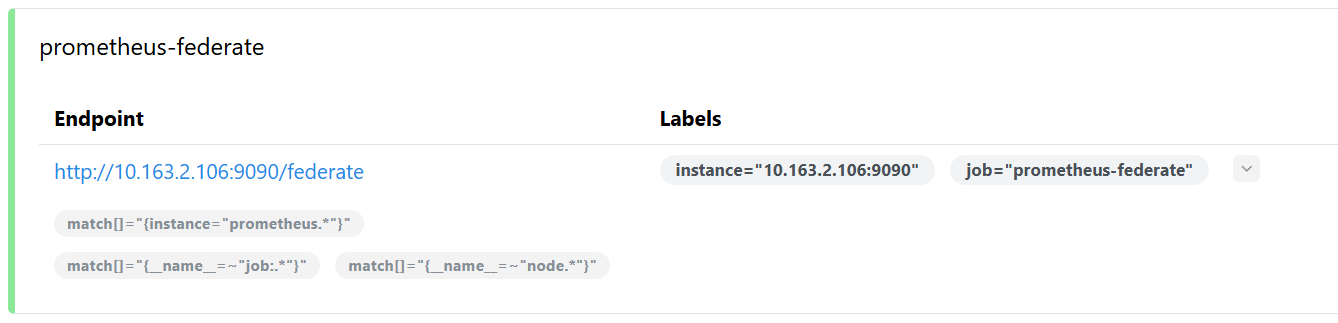
在大规模监控场景下如果只用一个Prometheus server采集数据,可能跨数据中心,延迟大,配置复杂,同时单个Prometheus压力大,容易性能瓶颈
- 分布式采集:每个数据中心独立 Prometheus 负责本地采集
- 集中聚合:中心 Prometheus 通过 /federate 拉取部分指标
- 降低压力:避免单个 Prometheus 采集全网数据。
- 标签保真:honor_labels: true 保留原始标签,方便分析来源
- 灵活选择:match[] 决定上游拉哪些数据,不浪费带宽。
部署下级Prometheus
1
2
3
4
5
6
7
8
9
10
11
12
13
14
15
16
17
18
19
20
21
22
23
24
25
26
27
28
29
30
31
32
33
34
35
36
|
hostnamectl set-hostname prometheus-region && bash
wget https://github.com/prometheus/prometheus/releases/download/v3.5.0/prometheus-3.5.0.linux-amd64.tar.gz
tar -xf prometheus-3.5.0.linux-amd64.tar.gz
cp -r prometheus-3.5.0.linux-amd64 /usr/local/
cd /usr/local/prometheus-3.5.0.linux-amd64/
scrape_configs:
- job_name: "prometheus-central"
static_configs:
- targets: ["10.163.2.100:9100"]
labels:
instance: "prometheus-central"
cat > /etc/systemd/system/prometheus.service <<EOF
[Unit]
Description=Prometheus Server
Documentation=https://prometheus.io/docs/introduction/overview/
After=network.target
[Service]
Restart=on-failure
WorkingDirectory=/usr/local/prometheus-3.5.0.linux-amd64/
ExecStart=/usr/local/prometheus-3.5.0.linux-amd64/prometheus --config.file=/usr/local/prometheus-3.5.0.linux-amd64/prometheus.yml
[Install]
WantedBy=multi-user.target
EOF
systemctl daemon-reload
systemctl enable prometheus.service --now
ss -tunlp | grep 9090
tcp LISTEN 0 4096 *:9090 *:* users:(("prometheus",pid=11875,fd=6))
|
调整中心Prometheus配置
添加针对于下级Prometheus的抓取配置信息
1
2
3
4
5
6
7
8
9
10
11
12
13
14
15
16
17
18
19
20
21
22
23
24
25
26
27
28
29
30
31
32
33
34
35
36
37
38
39
40
41
| hostnamectl set-hostname prometheus-central && bash
vim /usr/local/prometheus-3.5.0.linux-amd64/prometheus.yml
scrape_configs:
...
- job_name: 'prometheus-federate'
scrape_interval: 10s
honor_labels: true
metrics_path: '/federate'
params:
'match[]':
- '{instance="prometheus.*"}'
- '{__name__=~"job:.*"}'
- '{__name__=~"node.*"}'
static_configs:
- targets: ["10.163.2.106:9090"]
systemctl restart prometheus.service
wget https://github.com/prometheus/node_exporter/releases/download/v1.10.2/node_exporter-1.10.2.linux-amd64.tar.gz
tar -xf node_exporter-1.10.2.linux-amd64.tar.gz
cp -r node_exporter-1.10.2.linux-amd64 /usr/local/
cat > /etc/systemd/system/node-exporter.service <<EOF
[Unit]
Description=Node Exporter
After=network.target
[Service]
ExecStart=/usr/local/node_exporter-1.10.2.linux-amd64/node_exporter
Restart=always
User=root
Group=root
RestartSec=3
LimitNOFILE=4096
[Install]
WantedBy=multi-user.target
EOF
systemctl daemon-reload
systemctl enable node-exporter.service --now
|